January 27, 2015 : Another Rigged Model
I’ve been able to devote more time to work on some of the models for the new short. Another major character is modeled and rigged – although I will tweak the surface colors. Below is a posed shot:
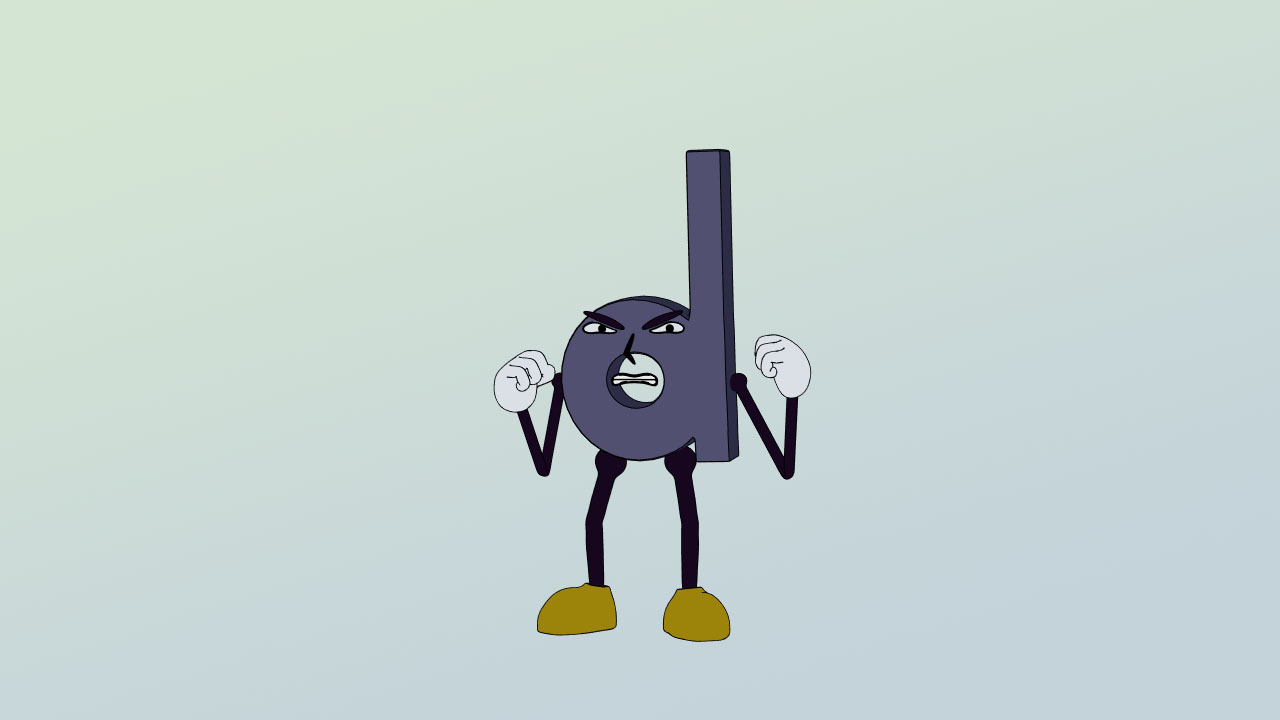
Overall, I am happy with the model. Posing the character allows me to test out the rig, which help determine if any adjustments need to be made (as well its limits). With many aspects of the rig being reused among characters, this helps refine each one… even if it requires a little extra time to go back and make adjustments to every character.
posted by Pi Visuals at 11:01 pm
Tags: ShapesComment
January 20, 2015 : First Batch Of Character Rigs
This past week, I spent time in Lightwave working on the models/ rigs for the characters that had previous sketches made. After several adjustments, I’ve reached a solid first pass for the characters. As such, I decided to pose them in the same fashion as my design sketch.

There may be additional tweaks to these models/ rigs, but I’m happy with where they are right now. Many aspects of the rigs will be re-used for the other characters in the short (and there are many left to do). Therefore, I want to identify any potential issues with this batch of characters since it will cut down on time spent with future revisions.
posted by Pi Visuals at 10:58 pm
Tags: Lightwave , ShapesComment
January 14, 2015 : Design Sketches For New Short
Over the last month or two, I’ve been working on an idea for a new short. It’s still in pre-production – the script is written and most of the dialogue has been recorded. The next big hurdle is character design. Below is a sketch for some of the main players.
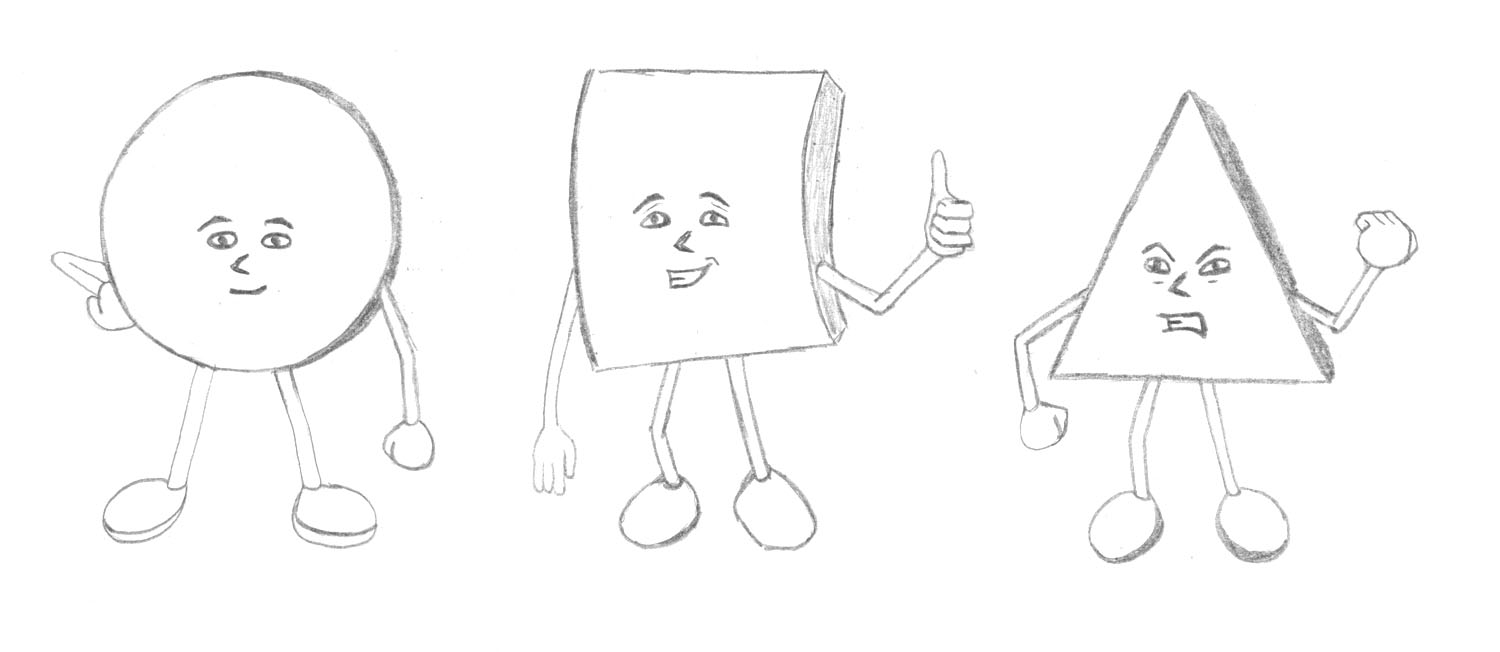
The designs are meant to be simple, but there will be a need for fairly intense animation (via fight scenes and such). This will be the first short for me using Lightwave 2015, and there have been added rigging capabilities since my previous version. It will require some research and testing, but I am excited to see what changes have been made.
posted by Pi Visuals at 12:43 pm
Tags: Lightwave , ShapesComment
January 3, 2015 : Back From The Holiday (Travel) Season
Like most years, the holidays tied up my time and made it difficult to write any posts these last few weeks. This year was particularly hectic since I had to fly in from out-of-state and crash at multiple people’s houses over the course of my visit.
Now that I am back east and things have settled down, I hope to once again make more frequent posts. Over these past few weeks, I have been able to catch a few movies – in a wide variety of genres, with a varying amount of accolades.
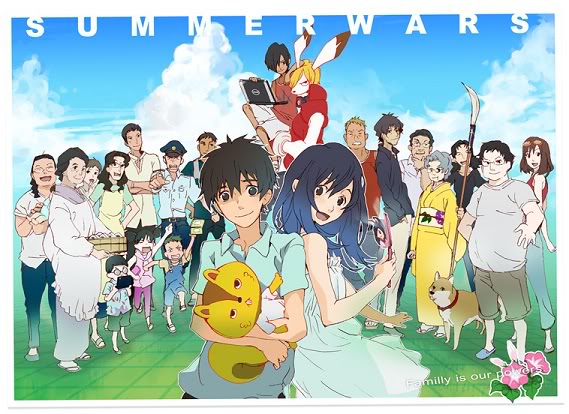
One movie I saw was an anime (Summer Wars); and while the animation was really cool, the story was pretty disappointing. Much of the plot took too long to develop, and many of the key plot points seemed to far-fetched or convenient to really grab me. Besides, any anime that uses Koi-Koi (which apparently is a real card game in Japan) as a focal point to the plot, is fighting an uphill battle.
I also saw a more mainstream movie (The Lego Movie), and it definitely lived up to all the hype. I liked the animation and enjoyed the story (although I felt the ending sputtered a little). Still, I thought it was a solid movie and can see why it was so successful.
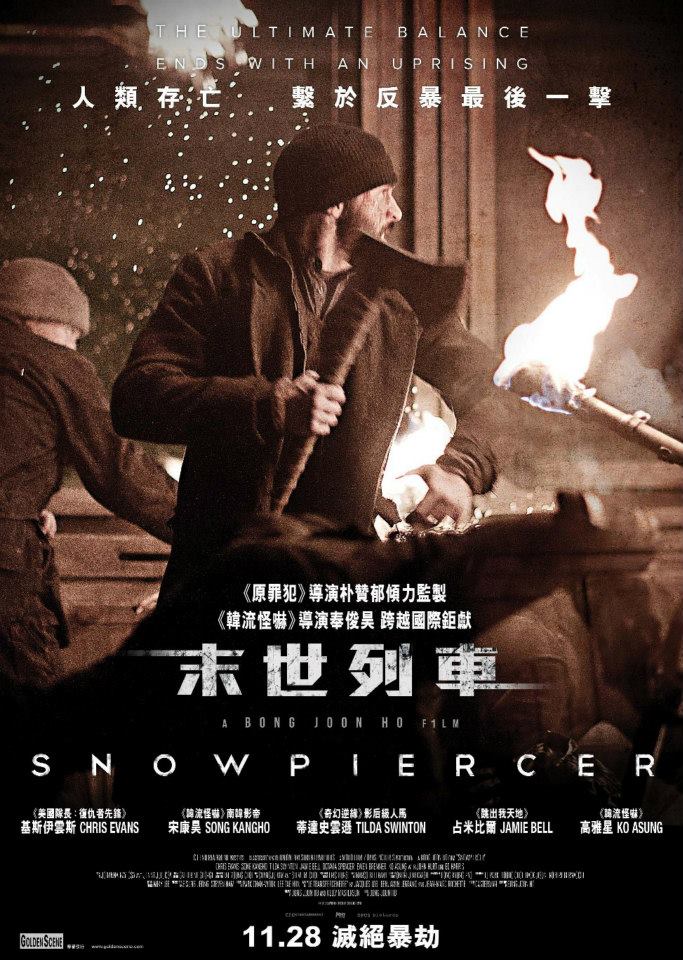
Another movie I just saw was Snowpiercer. I heard about it a few months ago, and it came with solid reviews. Unfortunately, I thought the movie was pretty awful. It was based on a French graphic novel; and while the premise seemed interesting, it really felt like this story would have been better served as an anime series. Much like Watchmen, trying to condense such a dense story/ world into a movie was too difficult. The pacing of the story alternated between too slow and too fast, and it felt like it resulted in poor character development. Plus, some of the story just didn’t make much sense. Plus, the ‘fish scene’ was just too bizarre (if you saw the movie, you’d understand… if you didn’t watch it, then consider yourself lucky).
posted by Pi Visuals at 11:20 pm
Comment
December 18, 2014 : DBZ Style Disappearing Effect
For the past month, I’ve wanted to reproduce the ‘vanishing’ effect often used in DragonBall Z fight scenes. I always thought it was cool and wanted to figure out a way to create it. DBZ just started replaying on Adult Swim from the first episode, and I just purchased the upgrade to Lightwave 2015. Those were reasons enough. Below is the final product.
I went with two characters from Ninjas Tales because… well, they’re ninjas. It was fun to revisit those models. The animation done in Lightwave was pretty minimal – it was basically a kick. Most of the work was done in After Effects, which was used to create the actual ‘disappearing’ effect. Throw in a few sound effects, and this short took less than a week to crank out.
posted by Pi Visuals at 11:53 pm
Tags: After Effects , DBZ , Lightwave , Ninja TalesComment
December 11, 2014 : Lightwave 2015 – Up And Running
A few weeks back, Newtek released its latest version of Lightwave – Lightwave 2015. I have only purchased two previous versions/ upgrades of the 3D software, and the last time was about 8 years ago. As such, it was definitely time for me to get my software current.
It’s now installed, and I even created a few files to test things out. Below is a screen shot:

From first glance, Lightwave 2015 is similar to my previous version (LW 9.6), but there are obvious differences. Since there have been several versions since my last previous purchase, I will need to familiarize myself with the various improvements and changes. Fortunately, Newtek provided a 2300 page manual to help as a reference. Between that and their forums, I can’t wait to get up to speed with Lightwave 2015.
posted by Pi Visuals at 11:57 pm
Tags: LightwaveComment
December 3, 2014 : The Yearly New-Reboot-Getting-Made Article
It seems every year, there’s an article about a new Reboot product in the works. Then… Â nothing happens. As such, I remain skeptical about the latest one. This time around, it won’t be a movie (or a trilogy of movies) but instead a series. Also, this article says it’s for realsies… again.
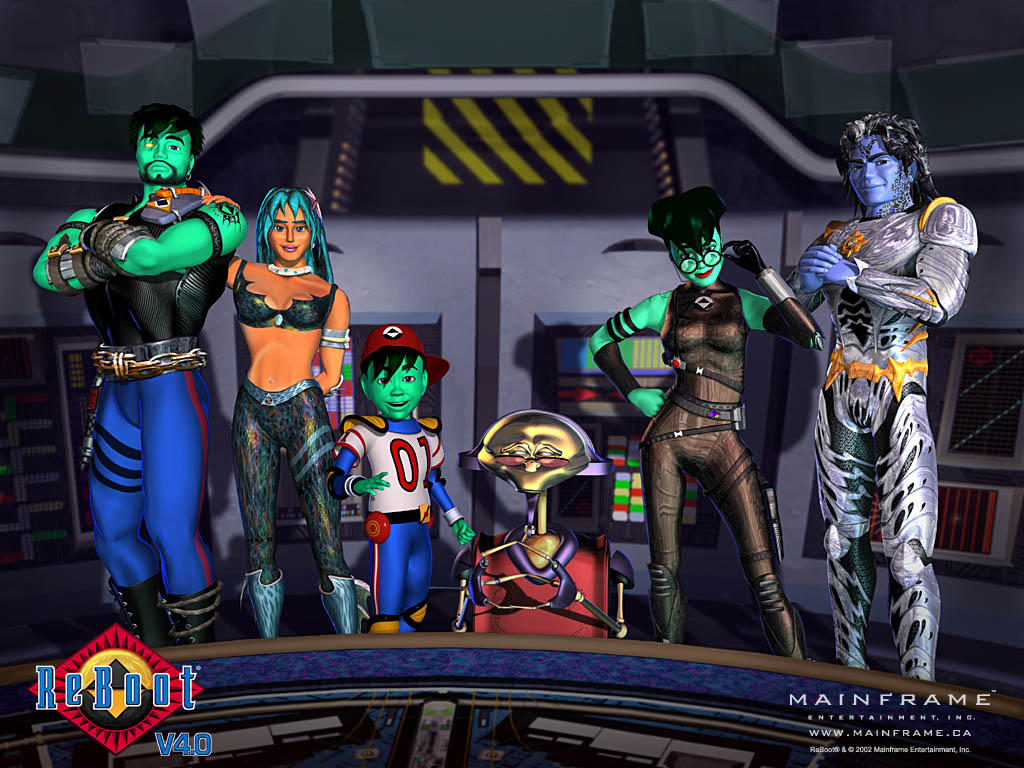
We’ll see whether or not the new series happens. However, the article did elaborate on the hypothetical series. First off, it won’t be a reboot of the 90’s show, which I think is good. The less good news is that the series will be geared toward a younger audience – that of the first two seasons of the original as opposed to the third season. I wouldn’t call this bad news since it’s understandable why they would do this from a profitability standpoint, but I would definitely prefer the darker storylines the latter episodes brought.
Still, at this point, I will take whatever Reboot I can get – as long as it’s not anything like ‘My Two Bobs’. I just won’t get my hopes up until production actually gets underway. Of course, if it doesn’t, I’ll just have to look forward to next year’s article.
posted by Pi Visuals at 7:50 am
Tags: ReBootComment
November 20, 2014 : Testing A Post With A Jump
For a little while now, I have wanted to test out creating a post with a jump link. I don’t intend on doing it for every post, but I feel there will be times when it is warranted. Now, it’s time for a random image:
Alright – and now a post-image sentence.
posted by Pi Visuals at 12:38 am
Comment
November 16, 2014 : Behind The Scenes – Raining Platform Part 4: Fake Lighting
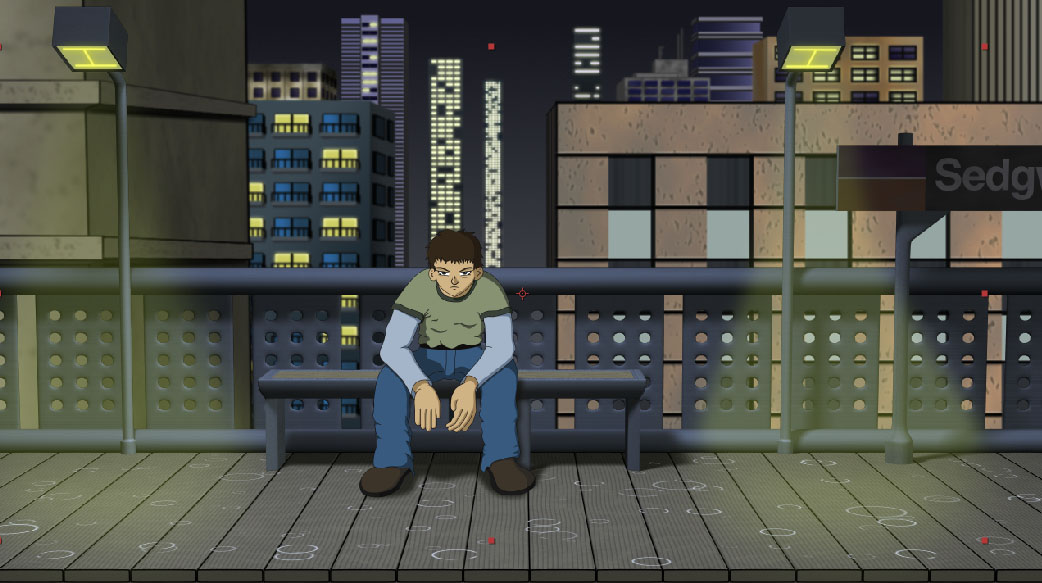
The last subject in Raining Platform’s Behind-The-Scenes thread is the fake lighting for the lamp posts. This wasn’t a major effect, but it was a nice detail that came out nicely and was worth sharing. I considered creating the lighting in Lightwave. However, since I was using multiple renders on different layers, I didn’t think this was the best way.
To better show the final post lighting, below is a shot without the rain. Notice how the opacity of the yellow light is greater near the platform and gradually becomes more transparent as it reaches the source:
I began with a yellow solid. To taper its transparency, I used a Track Matte. Below shows the setup of this in After Effects.

The yellow solid layer is [Faux Light]. By selecting a Luma Track Matte, the opacity of the Faux Light layer will be dictated by the brightness of the image above it (in this case [Gradient]). When the Gradient layer is white, Faux Light will have a 100% Opacity. Conversely, when the Gradient layer is black, it will be completely transparent. As a side note, you can also use Track Mattes with an Alpha setting – where a layer’s opacity will be dictated by the above layer’s opacity. This is another technique I commonly used.
Back to this project, to have the Faux Light layer get progressively more opaque the further down it goes, I created a simple black/ white gradient via the Ramp effect. Below is that gradient (for the Gradient Layer):
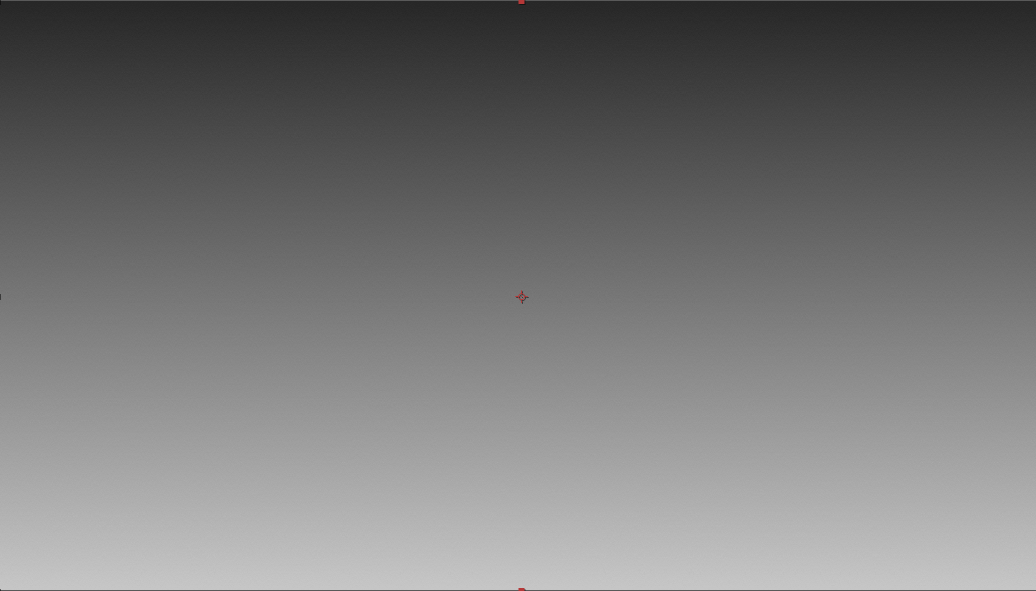
It took a little tweaking to get the gradient exactly how I wanted. To make the effect more subtle, the top part of the gradient wasn’t pure black nor was the bottom part pure white. I then set the Blending Mode for the Faux Light layer to Screen and lowered it’s opacity a little more (just for good measure).
The last step was creating the masks to outline the actual shape of the light. Below shows the solo-ed light without the Track Matte (top) and with the Track Matte (bottom).

And that is how I was able to get the lighting for the posts – done entirely in After Effects. Using Track Mattes to taper the layer’s opacity made for a nice, subtle touch that I was particularly proud of.
Well that wraps up the forth (and final) part of the Behind-The-Scenes for Raining Platform. They all focused on work done in After Effects, which did most of the heavy lifting in this project. Honestly, much of what I did was pretty straight forward and didn’t require a great deal of knowledge. All you really need is the basic ability of knowing how to navigate through the program and then toying around with its features.
Anyway, if you have any other questions, or would like to hear about another aspect of the animation, feel free to hit me up – I wouldn’t be against making another part or two if its on a subject worthwhile.
posted by Pi Visuals at 6:03 pm
Tags: Behind The Scenes , Raining PlatformComment
November 12, 2014 : Behind The Scenes – Raining Platform Part 3: Lightning Effect
The next subject in the Raining Platform’s Behind-The-Scenes thread is the lightning. I wasn’t sure how to simulate the lighting flash associated with lightning so I did some research. Prior to any work in After Effects, I searched for examples in animation as reference. I found them in American Dad (G-String Circus) as well as multiple South Park episodes (most notably, Professor Chaos).
Once in After Effects, the first step was to create the lightning bolt. This was fairly simple with AE’s ‘Advanced Lightning’ effect. The settings were pretty self explanatory but required some testing to get things exactly how I wanted. Below is a screen shot of the lightning. The bolt only needed to extend halfway down the screen since the foreground buildings would obscure the rest of the view.
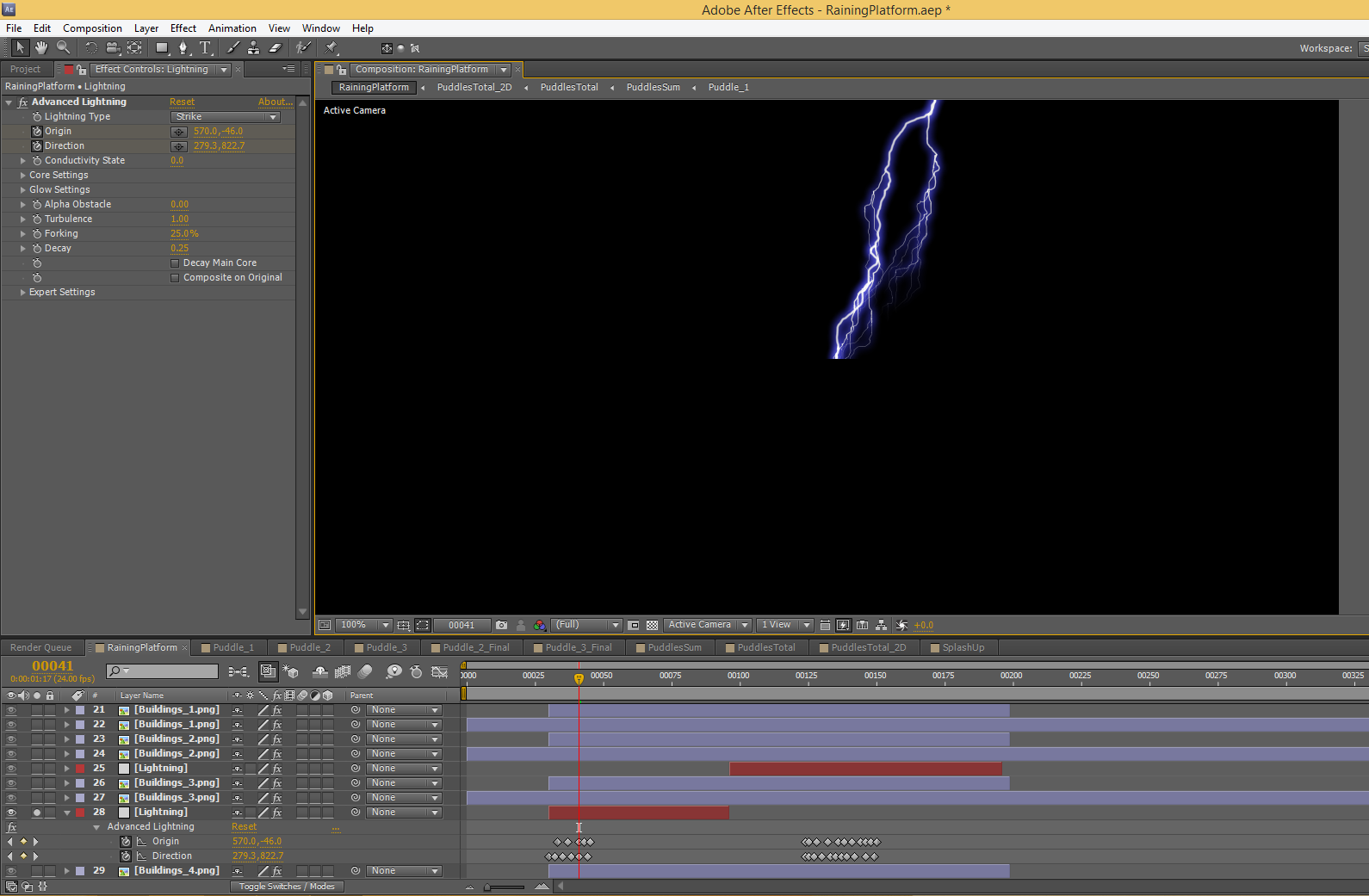
At the bottom of the screen, you can see two main sets of keyframes – which represent the two lightning strikes during the short. The ‘Origin’ and ‘Direction’ parameters were varied during these stretches to animate the bolt.
The next step was to create the drastic lighting associated with the lightning bolt. Below shows these two extremes.
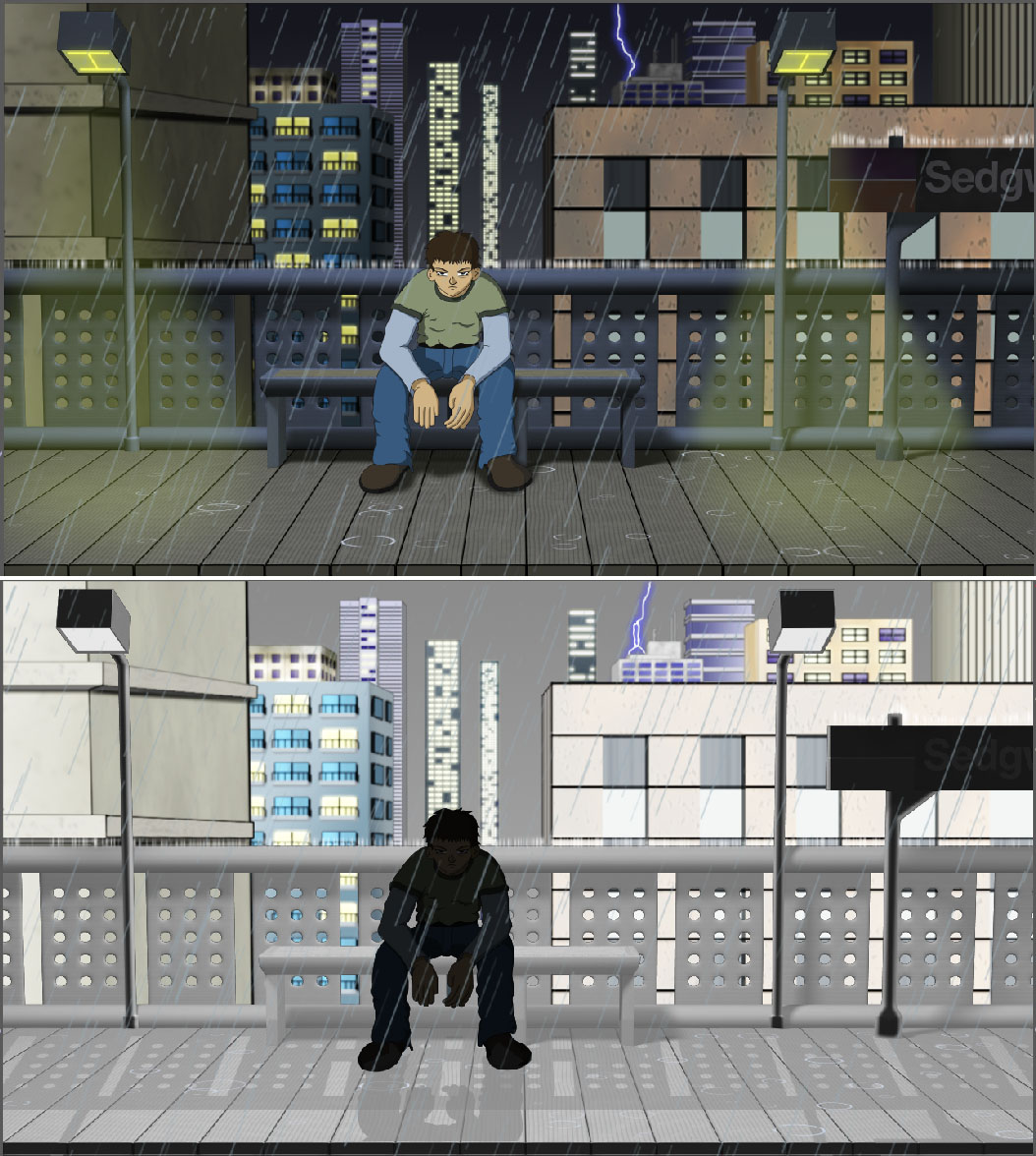
The lightning flash effect was just duplicated layers with a color correction applied. For the character and sign, the layer was significantly darkened. Conversely, the platform, buildings, and sky were brightened. The trick here was to determine an easy way of toggling between the lightning ‘on’ and ‘off’ extremes.
This was done by first creating a hidden dummy layer. This layer’s opacity was keyframed to indicate when the flash was to be employed (basically going from 0% to 100%). A simple expression was added to the duplicated layers (that represent the extreme), which would link their opacity to this dummy layer. The image below helps illustrate this:

Layer 8 (‘LineArt.png 2’) is the dummy layer. On the right side of the image, you can see the two lightning strikes. By adding the expression at the bottom of the image, Layer 9 will track with the dummy layer. Layer 9 was a severely darkened version of the character so I decided to have its opacity only 85% of the dummy layer’s opacity.
This layer sits on top of the original LineArt layer. As such, with only 85% opacity, some of the original character image is still visible. The top part of the above image shows when there is no lightning (the dummy layer is 0% and so is the darkened LineArt layer). Similarly, the bottom part of the image shows the lightning flash (the dummy layer is 100% and so the darkened layer is 85%). The Opacity for Layer 9 is in red because it is linked to Layer 8 via the expression. The ‘on’ and ‘off’ keyframes were typically two frames apart. Although, to ensure the timing of the flashes weren’t too uniform, I occasionally made it more abrupt and had them right next to each other.
Each layer had a different ‘factor’ as to how it correlated with the dummy layer. While the LineArt layer mentioned above used .85, many used a factor of 1 and some used another value. This was something I had to test out for each layer. The great thing about using the dummy layer and associated expression is when I had to tweak the timing of the lightning flash, I only had to adjust the keyframes in the dummy layer. The rest of the flash layers did not have to be touched.
The last step was to create the shadows of the railing, sign, and character that transposes onto the platform. The process for this was similar to the other layers described above, however, it required an extra step. The duplicated layers were converted to 3D layers and then rotated to match the angle of the shadow on the platform. I also had to mask out unwanted parts of the image. The layer then gets de-saturated with the Levels effect, and it is ready to be used as a shadow (with an opacity around 50%). The image below shows the layer with and without Levels.

This process was also done for the Line Art layer to create the character shadow on the platform, which wraps up the work needed to create the lightning and its flashes. I definitely learned a good amount in the process, and it wasn’t overly time consuming. I believe using the expression saved a great deal of time since it made it easier to visualize the final product of the lightning flashes and then tweak as necessary.
The next, and last, post will cover the fake lighting for the light posts. I was pleased with the technique used to get the desired look and wanted to share it.
posted by Pi Visuals at 1:41 pm
Tags: Behind The Scenes , Raining PlatformComment